
See products in context.
Browse product records and families, organize categories, and keep related products and documents connected.

Distributor case study
Manufacturer information comes in different formats. We brought it into a structured catalog and built a workspace Millennium’s team can own and manage.
01 / The approach
We matched manufacturer information to Millennium’s products, organized the technical details, and kept the supporting sources. The team can find product details, check their sources, and keep the catalog current.
Different names, units, and formats.
Shared definitions. Product-specific facts.
Product workspaceThe team owns the ongoing work.
02 / The PIM
Product records, families, and source material live together in the PIM. Millennium’s team can review and maintain the information as the catalog changes.
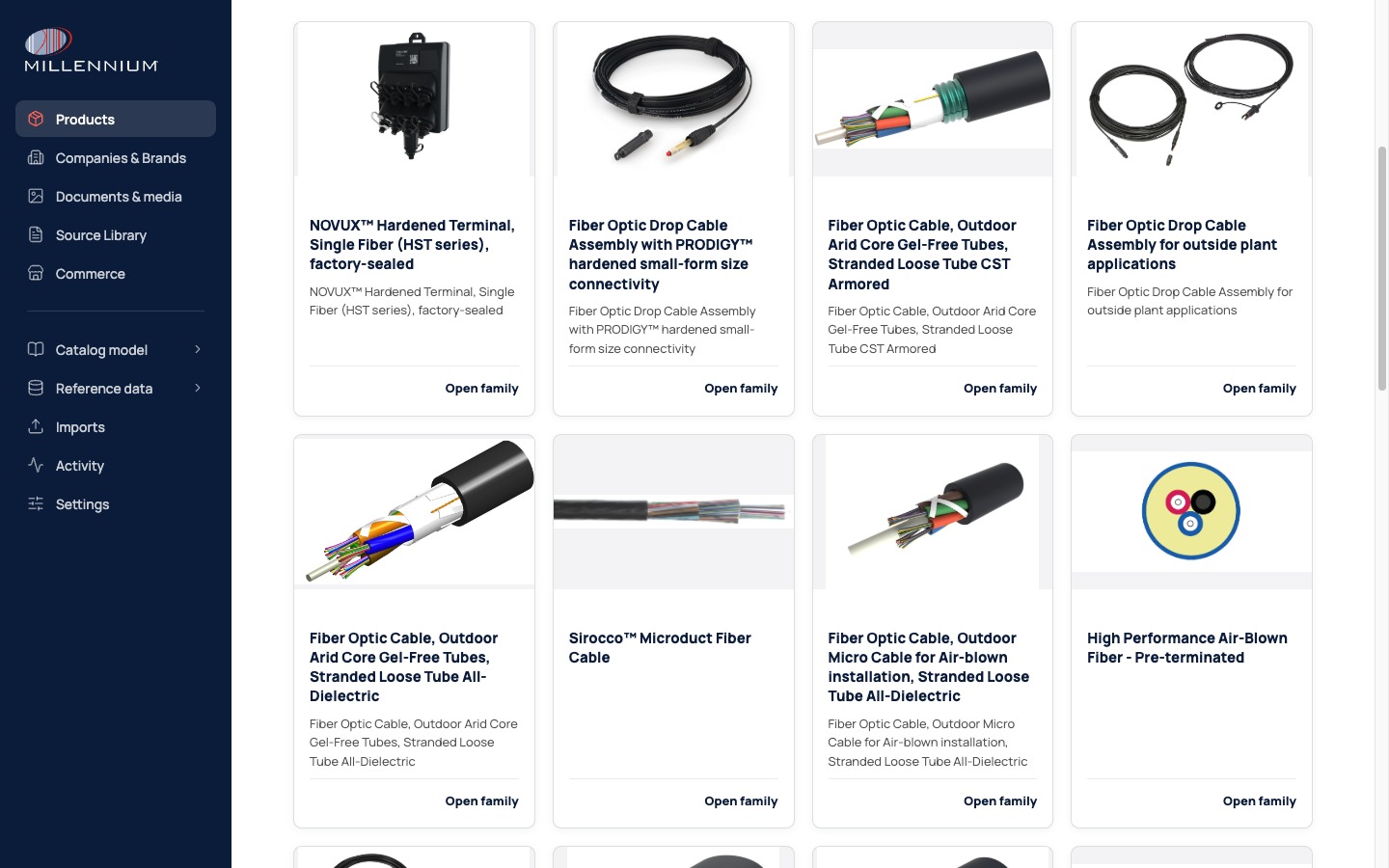
Browse product records and families, organize categories, and keep related products and documents connected.
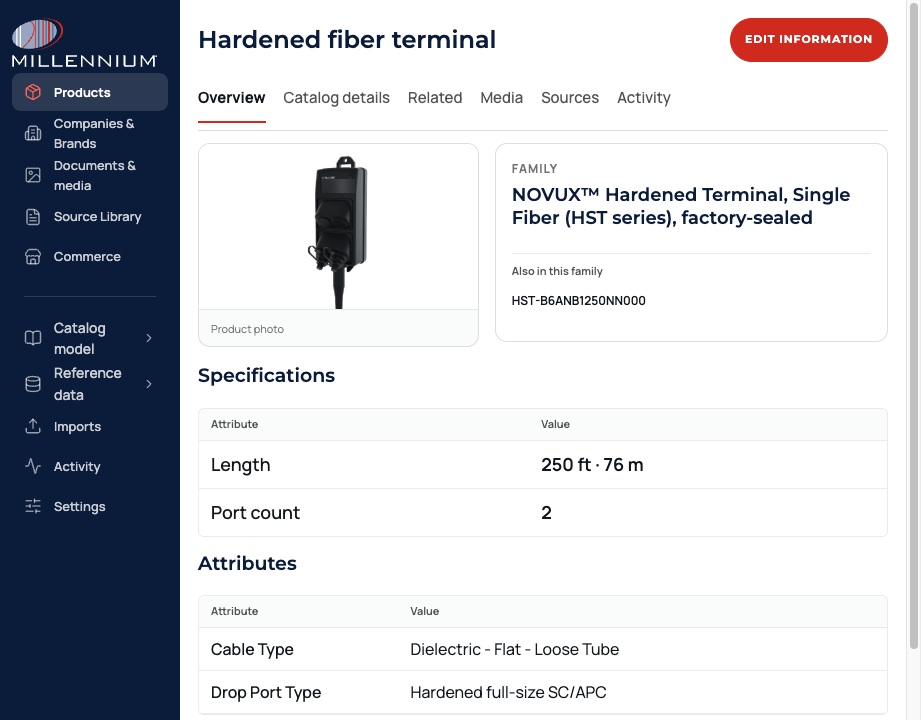
Check the supporting material, update product details, and manage information directly in the PIM.
Permissions control who can make changes. Change history keeps those changes traceable. The PIM works independently of the enrichment process.
Built on the ERP they already use
NetSuite remains the ERP. We carried its item identity into the PIM and added manufacturer content around it. Images, product families, and technical details come together in a workspace the team can manage.
Hardened fiber terminal
03 / A product example
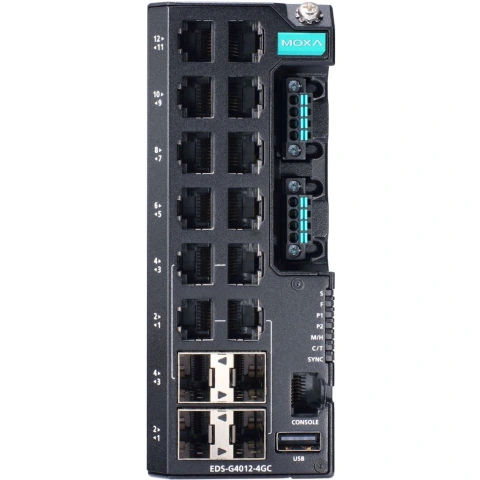
A switch has ports, connectors, power requirements, and configuration choices. A useful record keeps those details separate and shows where each value came from.
Select a field below to follow it back to its source.
Match the model.
Keep the connections.
Click a field to see its source
8 dedicated copper ports + 4 copper/SFP combo ports = 12 network ports. Each combo pair counts once.
The console uses an RJ45 connector for RS-232. Its management role keeps it separate from the network port count.
The EDS-G4012-4GC-LV listing identifies PWR-100-LV as its power module. The complete part number determines the match.
9.6–60 VDC is the operating range. The nominal input values (12 / 24 / 48 VDC) belong in a separate field.
Select the SFP, fiber type, connector, and reach for the customer’s connection. A switch specification alone does not make that choice.
Catalogs · Sales · Connected systems
What the record needs to understand
RJ45 describes the connector. The record also needs the interface, speed, and role.
Each combo port uses RJ45 copper or an SFP module. The two connectors belong to one logical port.
This connection carries RS-232 management traffic. Connector shape alone does not tell you what a port does.
Products of the same type often need the same fields. We reuse those definitions across sources, while keeping each product’s values and evidence separate. AI helps research and interpret the sources. Rules check the output, and people review unresolved questions.
04 / Preparing for publication
Category filters are already managed in the PIM. The proposed publication workspace adds a customer-page preview alongside those controls. The team could choose what to show and see how it will appear.
Publication / Category pages
Show the useful choices. Put them in order.
Try hiding or moving a filter. Watch the preview change.
Product catalogFind the cable for your application.
No filters selected.
What it enables
Millennium can keep its ERP and manage product information in a workspace built for the job: structured records, supporting material, and the tools to maintain them as the catalog changes.
Compare research time, review time, corrections, and preparation effort using the same task and acceptance criteria.
Start with your catalog
Tell us about the task and the products involved. We’ll help you choose a pilot and agree on how to judge it.